Play area, HUD and transitions
A game drawn into your room has to answer some questions a flat-screen game never asks. Where is the floor? Which way is "forward"? Where do the scores go, so you can read them without them getting in the way? This page explains how SpotyQuest XR answers them.
A floor in every scene
Every scene has a floor: the home hub, the lobby, every round, the results and even the transitions in between. Below you there is always a textured ground about 10 m across, in mixed reality as well as FULL VR.
Why it matters: your brain uses the floor to judge size, distance and balance. Toys floating over nothing look smaller or larger than they are, and can feel unsettling. A visible ground keeps every scene readable and comfortable.
Facing the right way
- Automatic recentring. At every scene change, and whenever a menu opens outside a round, the game recentres you so the next view starts straight ahead.
- RECENTRE. Options → VIEW → RECENTRE resets your position and facing at any time.
- ALIGN VIEW. A left-hand snap brings the game back in front of you if you have turned away from it.
- ADJUST VIEW. Options → VIEW → ADJUST VIEW lets you move your view with one pinching hand, or turn and zoom with two. It moves you, never the scene, so boards, physics and scores are untouched. If tracking drops, it freezes until your hands are back.
Details for each gesture are in Hand controls.
Mixed reality and FULL VR
| Mixed reality | FULL VR | |
|---|---|---|
| Your surroundings | Your real room, seen through the display | A bright trampoline-park world |
| What appears | The toy deck, the games and a floor | The same games, inside a playful obstacle park |
| Turn it on | Default | Options → DISPLAY → FULL VR |
The FULL VR rooms are built from complete obstacle compositions from the Platformer 2 pack. Rather than scattering random props, the team reused whole, designer-made arrangements of platforms, tubes and trampolines, then shuffled and adjusted them around the play space. That keeps each room looking deliberate, with clear lanes to aim through.
The rooms are alive: platforms move, drones follow flight paths and you can shoot them down. A shuffle bag picks the next room. Like drawing cards from a deck, you see every room once before any of them comes back.
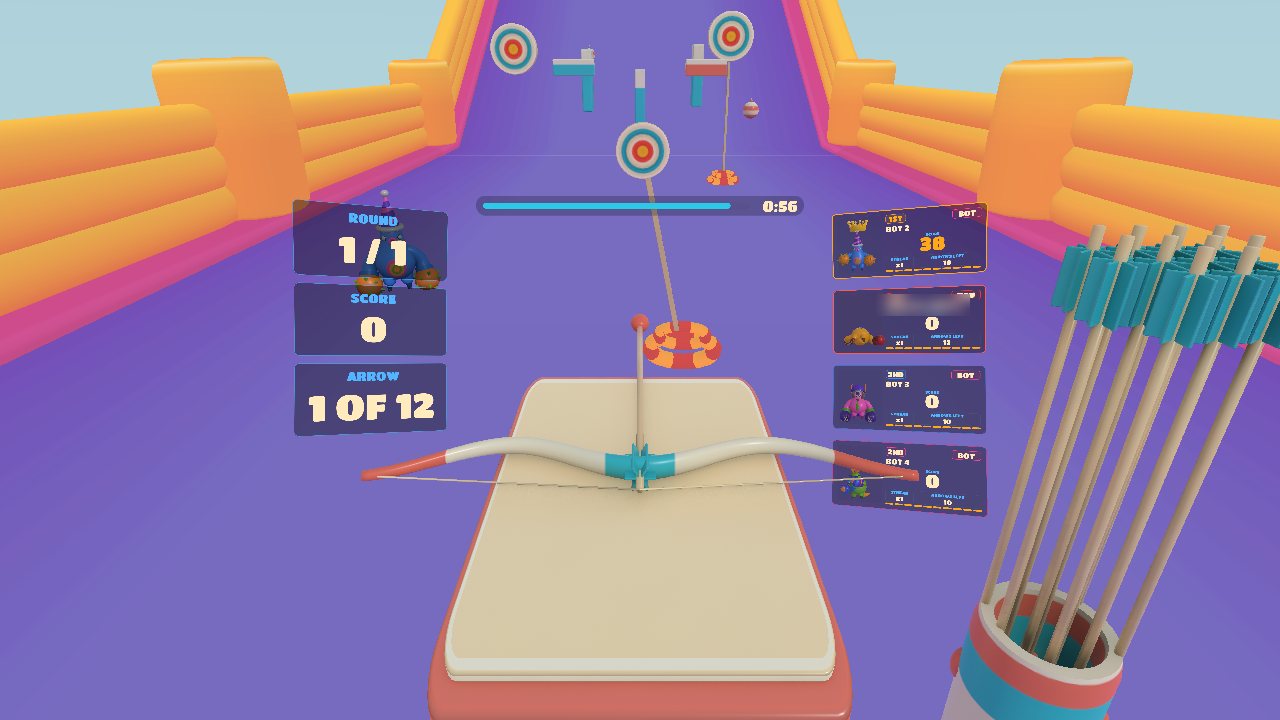
An Anchor Archery round. The scores sit on the left, the ranked player cards on the right.
Two kinds of screen
SpotyQuest XR shows information in two different ways, depending on whether you need to touch it.
| Kind | Used for | How it is drawn |
|---|---|---|
| Read-only HUD | Scores, timers, prompts, captions | Head-locked stereo layers: the device draws them separately for each eye at full sharpness, so text stays crisp at any distance. |
| Panels you press | Menus, Options, the lobby board | World-space panels that stay in place in the scene, so your fingertip or pointer can reach them. |
What you see in a round
- Left: readouts for the round, your score and your shots or arrows left (for example 1 OF 12).
- Right: ranked player cards, each with a monster avatar. The leader wears a crown.
- Top: a time bar that shrinks as the round runs.
- Lower view: TV-style captions in a band across the bottom of your view, on a translucent box, with the speaker's name. When a monster talks, you can read what it said.
- Multiplayer: a LIVE SCORES board shows everyone's score as it changes. Switch it in Options → PLAY → LIVE SCORES.
The HUD and results screens come in four colour variants, each designed to stay readable against a real room.
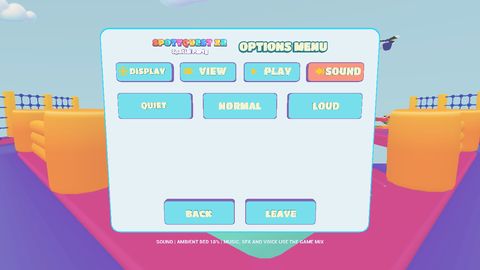
Options: four tabs
Open Options with a second left snap, or from SETTINGS on the home hub. Everything fits on one wide panel, with no scrolling.
| Tab | What is in it |
|---|---|
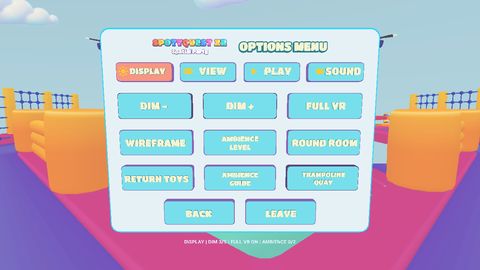
| DISPLAY | DIM − / + (how much the real world is dimmed behind the game), FULL VR, WIREFRAME, AMBIENCE LEVEL, ROUND ROOM |
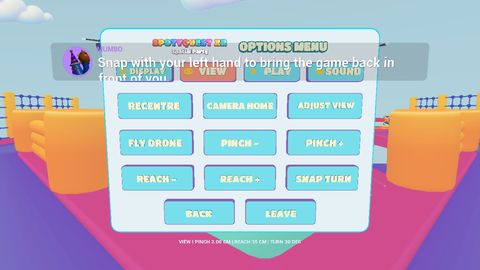
| VIEW | RECENTRE, CAMERA HOME, ADJUST VIEW, FLY DRONE (home only), PINCH − / + and REACH − / + calibration, SNAP TURN |
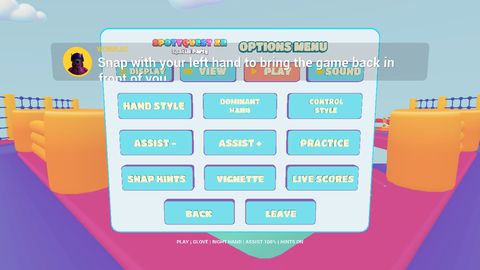
| PLAY | HAND STYLE (glove or robot hands), DOMINANT HAND, CONTROL STYLE, ASSIST − / +, PRACTICE, SNAP HINTS, VIGNETTE, LIVE SCORES |
| SOUND | QUIET, NORMAL or LOUD |
| DISPLAY | VIEW |
|---|---|
 |  |
| PLAY | SOUND |
 |  |
Transitions: a star, never a fade to black

When you move between scenes, a glowing star iris closes in, the SpotyQuest S pops into the middle, and the star opens again on the new scene.

Why not fade to black, like a film? A see-through display works by adding light on top of your room. It can make things brighter, but it cannot paint darkness. To the display, black means "draw nothing here", so black is transparent. A fade to black would simply make the game vanish into your living room, which looks like a crash. A bright star that grows and shrinks keeps something on screen the whole time, and it tells you clearly that a change is happening.
The same rule shapes all the art: nothing important is black or very dark, and every material keeps a minimum brightness so it stays visible.
Little animations that help
| Animation | What it tells you |
|---|---|
| Logo letters wave and pop | The home hub is ready and waiting. |
| Buttons press in | Your press landed. The cap travels straight into the panel, like a real button. |
| Hold bars (red → yellow → green) | How long to keep holding before a choice happens. |
| Monster idle loop (dance, wave, hop, walk) | The scene is live, even when nobody is playing. |
| Celebrations (star bursts, confetti, coins) | You scored, collected a bonus or won. |
The lobby console
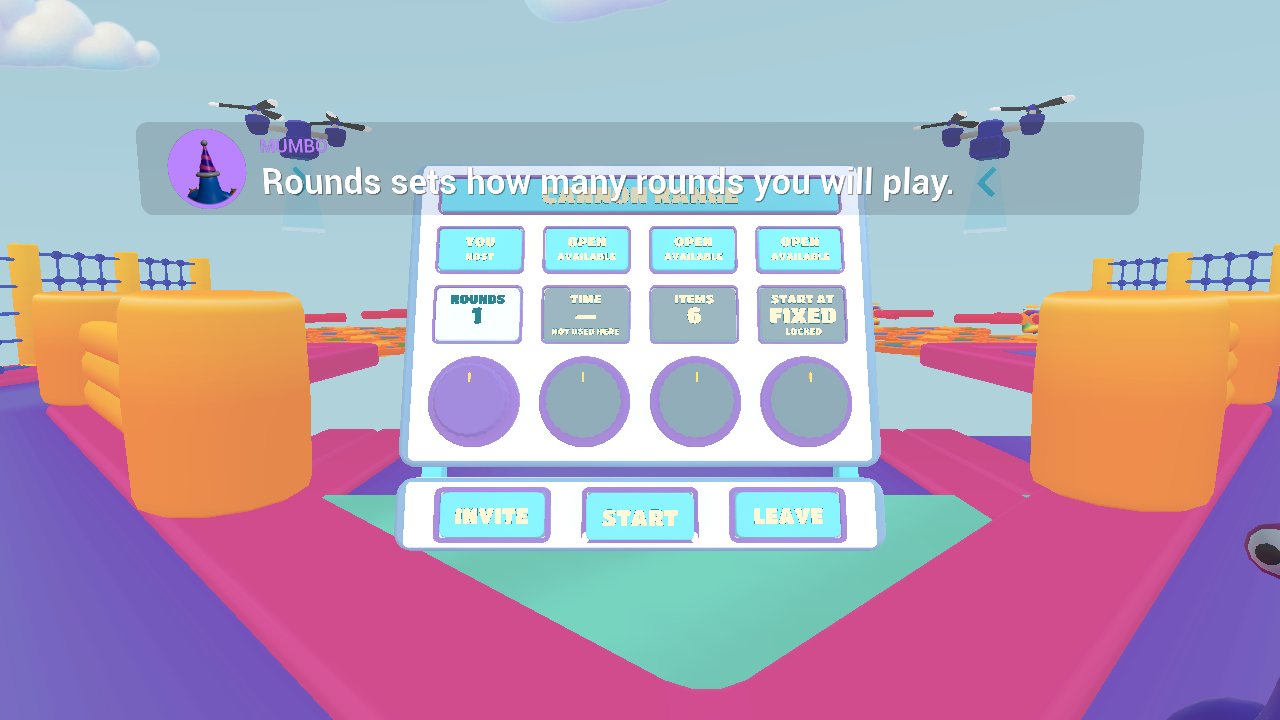
Before a match, the host sets it up on a room console with four dials:
| Dial | Choices |
|---|---|
| ROUNDS | 1, 3, 6 or 9 |
| TIME | The round time |
| ITEMS | The bonus-item setting |
| START AT | Easy, Medium or Hard |
Below the dials, INVITE shows your room code, START begins and LEAVE returns to the hub. You can add bots for a solo match. Monster guides stand beside the console and explain each dial in captions. Every round starts with a physical control in front of you, never a floating "press start" panel.
Results
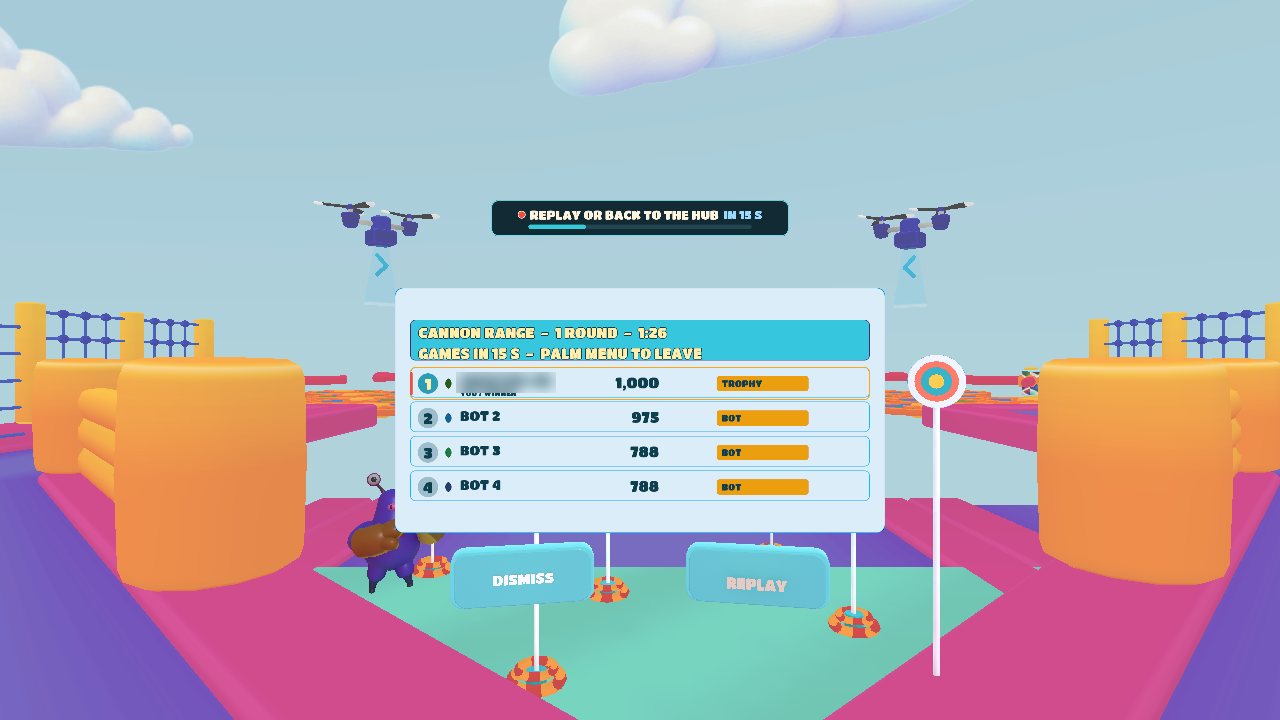
At the end of a match, ranked player cards line up with a crown for first place. The card monsters celebrate a win or sulk over a loss, and one of six victory stingers plays. Choose REPLAY for another match, or wait for the countdown to take you back to the hub. Scores are judged by the server (on a solo match, your own device), so every player sees the same result.